How it works
From an empty shelf to a delivered carton
Four steps to set up. After that the loop runs by itself: watch, warn, order, track, learn.
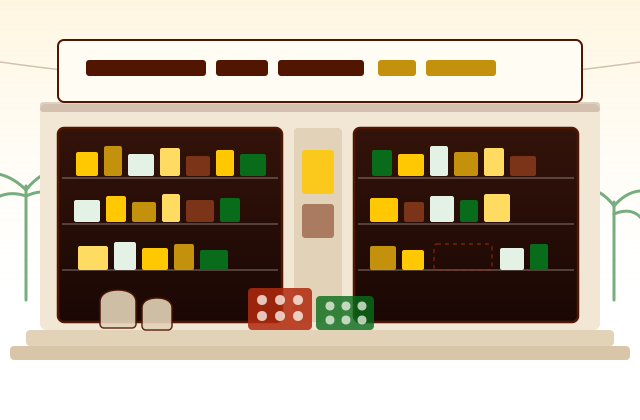
Getting started
One afternoon, and then it is running
Load what you already have
Import a spreadsheet, or add items as you count the shelves. Most shops get their first hundred items in during one afternoon.
Set a reorder point per item
The level at which you would normally start worrying. InventiX suggests a starting point — about a quarter of what you hold — so nobody has to think hard about every item.
Add your suppliers
Name, WhatsApp number or email, and what they sell. Their score starts building from the first completed delivery.
Sell as usual
Record sales at the counter, or export the day's file from your till and upload it. Everything after this happens on its own.
The loop
Five things, going round
None of these need you to remember anything. That is the whole point of them.
Watch
Every item is measured against its own reorder point, not a level shared across the shop.
Warn
Crossing that line raises a notification carrying days of cover, not just a unit count.
Order
The message is written for you, checked against what the supplier holds, and sent the way they actually reply.
Track
Six stages, both sides, live. You confirm receipt, and the stock count goes up by itself.
Learn
Every completed order feeds the supplier's measured speed, and every uploaded sales file feeds what comes next.
Keeping the count honest
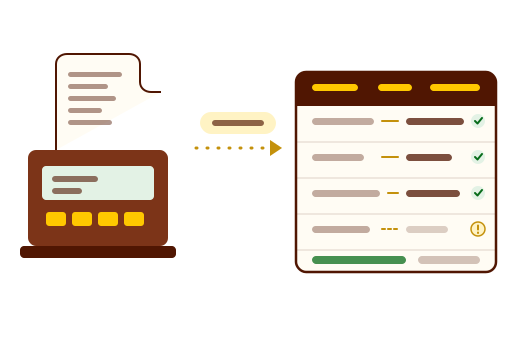
Your till already knows what you sold
Export the day's or week's sales as CSV or Excel and upload it. InventiX finds the columns itself, and reduces your stock by what left the shop.
It reads an exported file rather than talking to a till directly, and that is a deliberate choice — it is what lets it work with any POS in the country instead of the three we could get an integration with.
sales_export_14sep.csv
214 rows · from your till
- SUGAR 1KG WHT…−14
- RICE KEERI 5K…−6
- HIGHLND MP 400…−22
- MAL TIKIRI MARI…−9
A name your catalogue does not know is matched once, by you, and remembered for every future upload. The same file cannot be applied twice, so stock is never reduced twice.
Delivery tracking
Six stages, and each one is a timestamp
A delivery either moved or it did not. Every stage change is recorded, which is what makes the supplier speed score a measurement rather than a feeling.
Order #DEL-0042
Ranjith Stores · 150 kg red raw rice
- RequestedMon 09:12
- ConfirmedMon 10:40
- ProcessingMon 14:05
- Put to deliveryTue 08:30
- On the wayTue 11:15
- Purchased—yours alone
Stage changes arrive live, without refreshing. Only you can mark an order purchased — that is the moment your stock count goes up.
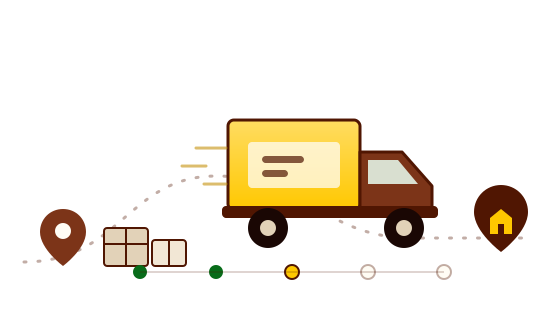
The supplier moves the order through the first five stages. The sixth is yours alone, because confirming receipt is the moment your stock count goes up — and a supplier saying “delivered” is a claim, while you confirming it is a fact.
Seasons and forecasting
What it does today, and what it does not yet
Two shops on the same street sell differently, so a model trained on an average shop is worth very little. Ours will be trained on yours — which means it needs your history before it says anything.
- Working today
- The festival calendar, with an order-by date roughly 0 weeks ahead of each peak, the categories that usually lift, and a suggested quantity you can order straight from.
- Coming next
- Demand predicted per item from your own uploads, so “low stock” becomes “you will run out on Thursday”. It needs several weeks of sales before it says anything at all — and it will say so, rather than inventing a number.
Next season
Seasonal warnings
Sinhala & Tamil New Year
AprilOrder by Late January
Rice flour, coconut, kithul treacle, cashew, oil
Vesak
MayOrder by Late February
Sugar, milk powder, ingredients for dansal
Ramadan & Eid
Feb–MarOrder by December
Dates, ghee, semolina, dried fruit
Christmas & New Year
DecemberOrder by Late September
Butter, dried fruit, wine, cake ingredients
Roadmap
What's decided, and what isn't
We would rather say what we are still weighing than promise it and quietly drop it.
Built and working
- Stock, suppliers, deliveries and reports
- Low-stock alerts with WhatsApp and email restocking
- POS sales upload from any exported file
- Supplier ranking from completed orders
- Festival warnings with order-by dates
Coming next
- Demand forecasting from your own sales history
- Festival lift learned from your shop, not the average
- Reorder points suggested from real sales velocity
- Push notifications on the lock screen
- An installable Android app
Still being decided
- Live GPS tracking of the delivery vehicle on a map. It only works if suppliers agree to share location, so we have not committed to it — the six stages work without anyone installing anything.
If this would decide it for your shop, tell us — it moves up the list.

Early access
Try InventiX in your shop
We're onboarding a first group of grocery shops now. Tell us what you stock and we'll set the app up with your items and suppliers.